COB LED displays are used in meeting rooms, control rooms, studios, retail spaces, and museums, but each application has different priorities. Meeting rooms need readable content, control rooms require reliable multi-window operation, studios care about camera results, and public spaces must manage reflections, contact, and installation limits.
Buyers should ask:
-
What must the display accomplish?
-
Which requirements can COB address?
-
How will results be verified?
1. Which Projects Suit COB?
COB, or Chip on Board, mounts LED chips directly onto the circuit board. Some products add protective and optical surface treatments for chip protection, visual consistency, or close-range viewing.
COB describes the packaging layer, not the complete display. Black levels, reflections, refresh behavior, low-gray performance, power consumption, and serviceability also depend on drivers, scanning, calibration, surface materials, cabinets, and control systems. One product's performance should not be generalized to every COB display.
1.1 What Should Buyers Check First?
|
Project question
|
Reason to consider COB
|
What still needs verification
|
|
Is viewing indoors and close to the screen?
|
Viewers may notice pixel structure at short distances
|
Closest viewing position and real content
|
|
Is one continuous image required?
|
Maps, people, or graphics should not be divided by bezels
|
Cabinet flatness and screen uniformity
|
|
Is the content information-dense?
|
The screen must show text, tables, or multiple windows
|
Native resolution and scaling
|
|
Are protection and access important?
|
The surface may be touched or serviced from the front
|
Cleaning, removal space, spares, and recalibration
|
Pixel pitch should not be selected from viewing distance alone. Screen size and content density also matter.
Horizontal pixels ≈ active display width in millimeters ÷ pixel pitch in millimeters
A 4,800 mm-wide display with a 1.25 mm pitch has about 3,840 horizontal pixels. A full 3840 × 2160 canvas also requires the correct height and vertical pixel count. Finer pitch matters more for tables, drawings, small text, and multi-window layouts than for large video and headlines.
COB is worth evaluating for indoor use, close viewing, continuous images, custom formats, or expected contact. Wait if content, resolution, viewing distance, or service access remains undefined.
2. Does COB Fit Meeting Rooms?
Meeting rooms show documents, drawings, remote participants, and shared desktops. Content must be readable from key seats, and ordinary users should operate the system unaided.
COB becomes relevant when the room needs a large image, front-row viewers sit close, or several sources share one continuous canvas. Finer pitch does not automatically make text readable; native resolution, scaling, processing, and window size also matter.
2.1 How Should It Be Tested?
Use real documents and conferencing software rather than promotional videos. The demonstration should include:
-
Reading specified text from the nearest and farthest seats.
-
Comparing full-screen presentations with split-screen meeting layouts.
-
Connecting typical laptops and switching between wired and wireless sources.
-
Checking audio routing, wake-up behavior, and audiovisual synchronization.
Test cameras, microphones, loudspeakers, controls, and conferencing platforms with the display as one system.
For a small or medium 16:9 image with built-in cameras, touch, and quick setup, an integrated meeting display may be more practical. COB is stronger for large continuous images or custom proportions.
For more detail on sizing, pixel pitch, and picture quality, see COB LED displays for meeting rooms.
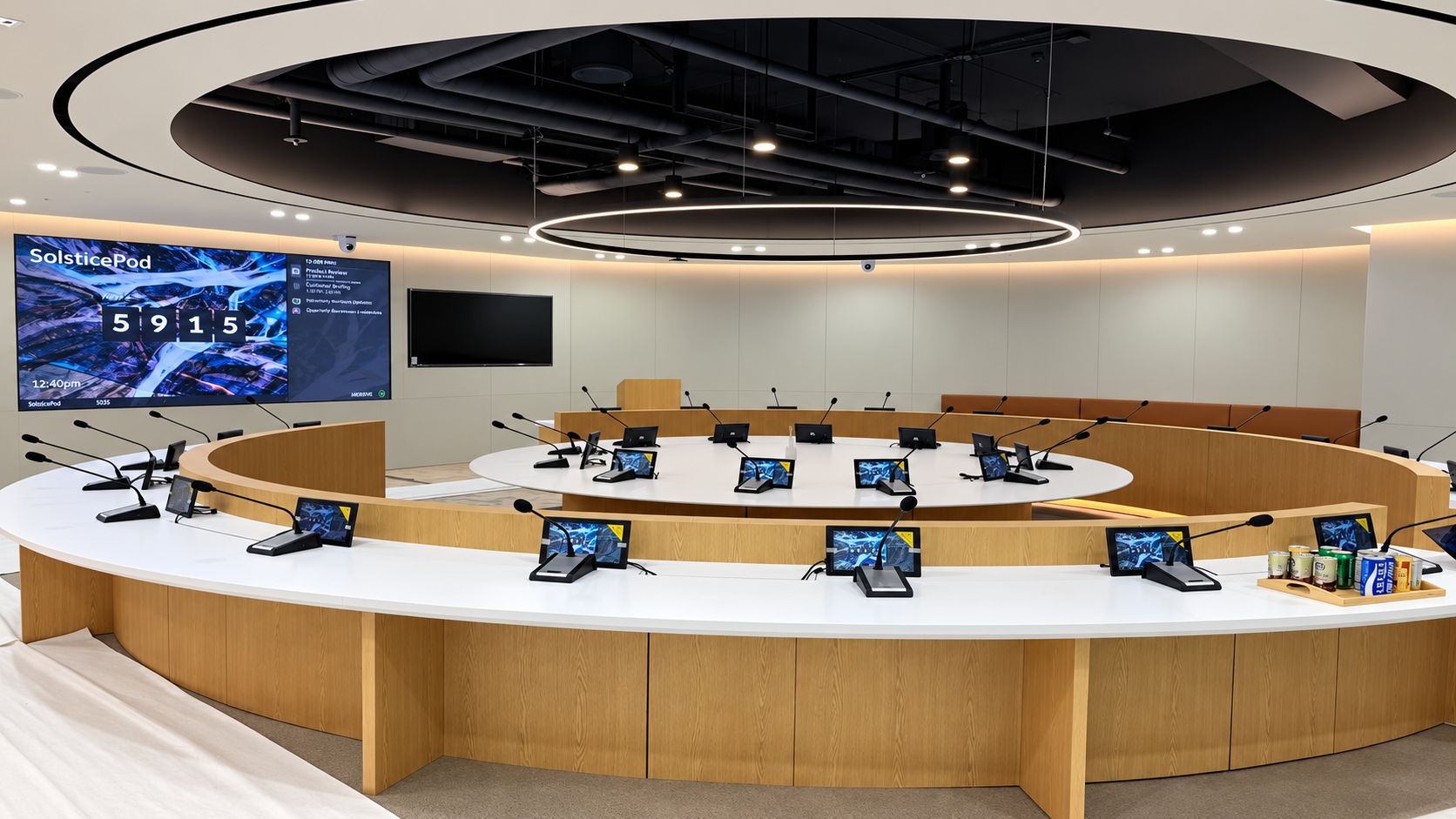
Note: Premteco SP1 Pro series P1.2 Indoor LED Screen in Korea
3. Does COB Fit Broadcast and Studios?
A display that looks stable may show scan lines, flicker, moiré, color shifts, or lost shadow detail on camera. Results depend on the wall, processor, synchronization, camera, lens, exposure, and distance.
COB can be considered for large studio backgrounds, close camera positions, continuous images, or custom formats. A finer pitch may help in some setups, but it cannot guarantee freedom from moiré at every distance and angle.
3.1 How Should Camera Tests Be Run?
Use the planned cameras, frame rates, shutters, lenses, apertures, focus distances, and positions. Record wall brightness, scanning, processor settings, input frame rate, and synchronization.
Test neutral gray, skin tones, brand colors, dark gradients, and real backgrounds at each main camera position. Assess scan artifacts and flicker separately from moiré because their causes differ.
Save successful settings, configurations, and footage. A refresh-rate figure alone, without actual camera tests or documented scan and synchronization settings, is insufficient for approval.
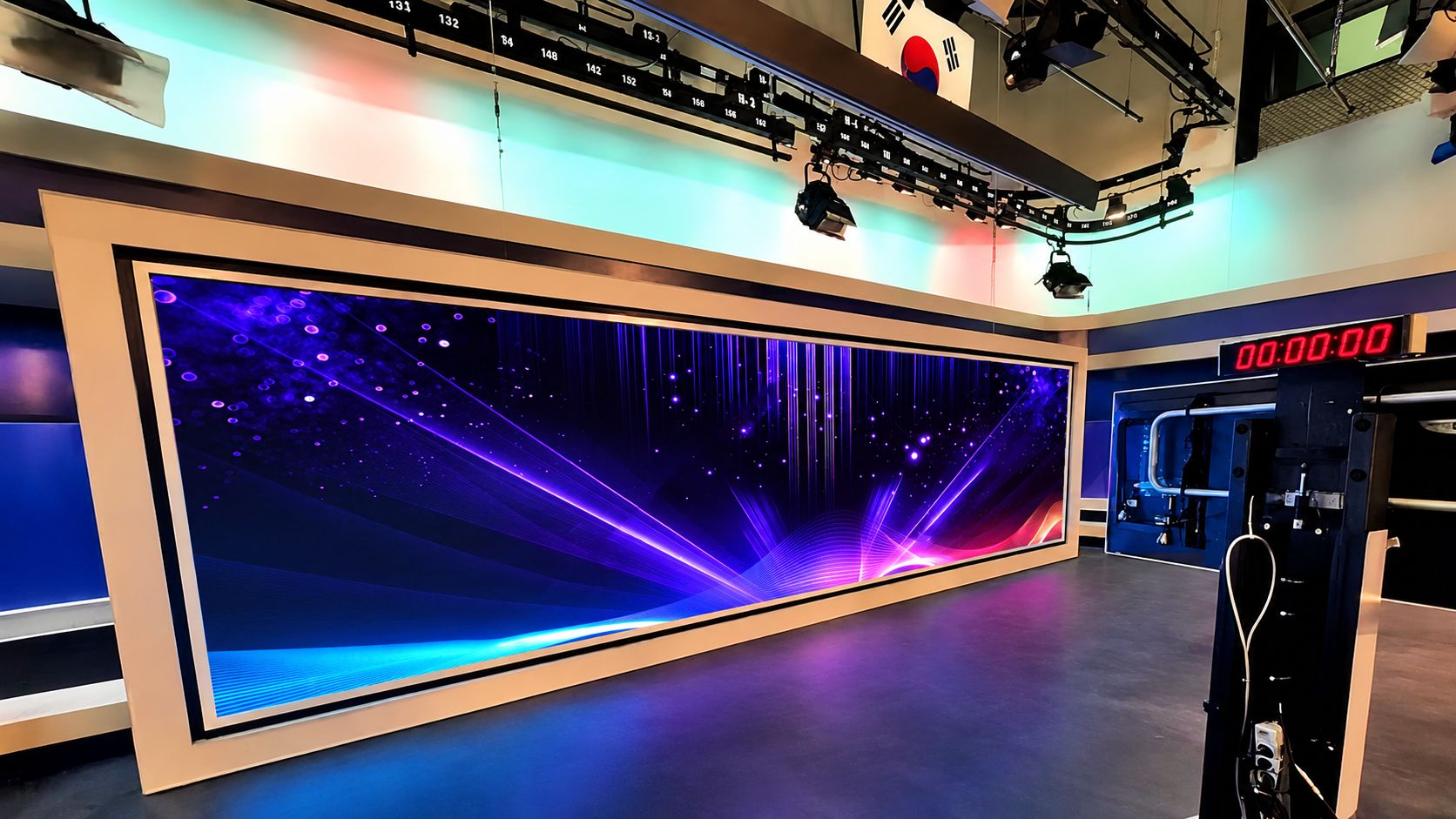
Note: Premteco SP1 PRO P1.2 LED Display in South Korea KBS Studio
4. Does COB Fit Retail and Museums?
Visitors may approach from different directions, view through glass, watch from the side, or touch the screen. Start with visitor routes, viewing distance, dwell time, ambient light, and physical access.
COB is worth evaluating for close viewing, continuous visual surfaces, custom formats, and projects requiring some surface protection. Its value still depends on the room, installation, and content.
4.1 What Should Be Tested On Site?
Inspect the display from entrances, primary positions, and side angles. Test the nearest and farthest distances, strongest daylight or spotlights, and actual glass where relevant.
High brightness does not automatically solve reflections. Glare from external glass may require changes to lighting, shading, glazing, or display position.
Verify approved cleaning materials, resistance to expected contact, repair scope after damage, and whether a barrier is required. Surface protection does not include touch functionality.
Coordinate ultra-wide, portrait, and corner screens with module dimensions, content canvases, structure, cabling, ventilation, and service access. Keep critical text away from corners and obstructions, and match content pacing to dwell time.
Revise the plan before selecting COB if reflections remain uncontrolled, service space is insufficient, content does not fit the format, or the surface cannot tolerate expected contact.
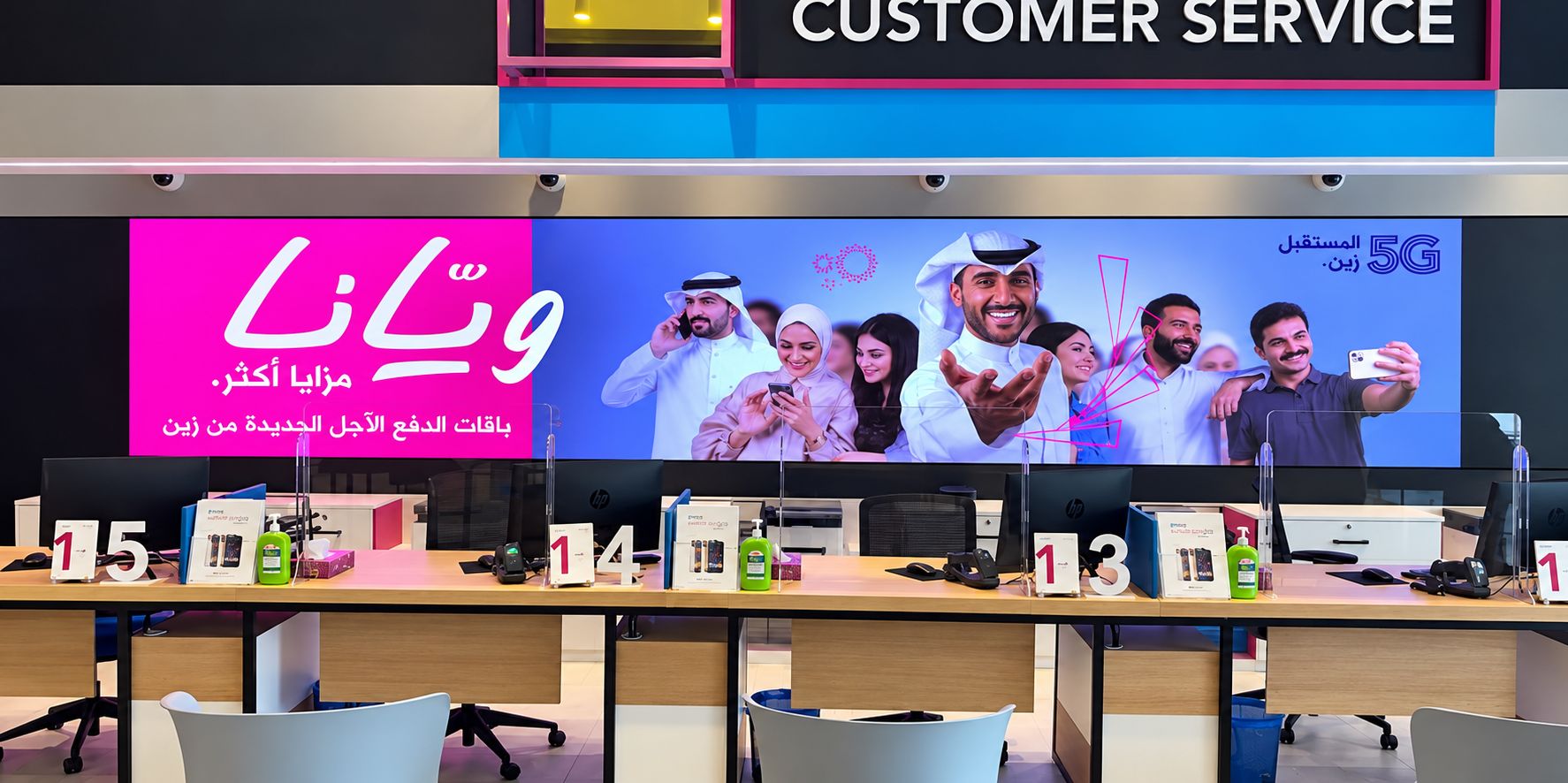
Note: Premteco Fine Pitch LED Display COB Ultra P1.8 in Kuwait
5. Does COB Fit Control Rooms?
Control rooms may show maps, process diagrams, equipment status, video, trends, and alarms simultaneously. Operators must find important information quickly and continue working through partial failures.
COB is a strong candidate when content must cross a large wall without LCD bezels. Yet a clear workstation source may become unreadable when reduced to a small window.
5.1 What Should Be Verified?
Load the most demanding normal layout with real sources. Check small text, thin lines, alarm colors, map details, low-brightness performance, and alarm-location speed. If operators repeatedly enlarge windows, adjust the layout, resolution, or wall size.
For continuous operation, verify temperature, humidity, brightness, ventilation, warranty, spare parts, and service response.
|
Failure point
|
Verification question
|
|
Power
|
How much of the wall becomes unavailable?
|
|
Signal path
|
Can the system change to a backup route?
|
|
Controller
|
How does the backup controller take over?
|
|
Module
|
How quickly can it be replaced?
|
|
Spare part
|
How are brightness and color re-matched?
|
Dual power supplies, backup signal paths, and backup controllers address different risks. Require a failure-and-recovery plan and test the agreed switching process during acceptance.
For smaller fixed-layout control rooms, LCD may offer useful pixel density at a lower initial cost. Compare continuity, alarm readability, redundancy, and long-term maintenance.
For detailed guidance on continuous operation and redundancy, see COB LED video walls for control rooms.
6. Can Indoor COB Be Used Anywhere?
An indoor COB label does not prove suitability for outdoor use, sunlight, condensation, humidity, dust, corrosion, or unusual temperatures. These conditions affect the cabinet, power supply, connectors, cooling, materials, and mounting structure.
|
Condition
|
What must be verified
|
|
Outdoor or semi-outdoor
|
Protection, drainage, connections, and structure
|
|
Strong sunlight
|
Readability, reflection, sustained brightness, and cooling
|
|
Humidity or condensation
|
Operating limits and moisture control
|
|
Dust or corrosion
|
Sealing, materials, connectors, and cleaning
|
|
Unusual temperatures
|
Start-up, operation, and thermal management
|
|
Limited installation depth
|
Structure, ventilation, cabling, and service access
|
Even indoors, COB may be unsuitable if resolution or service access is insufficient, or a standard display meets the need more efficiently.
Application Comparison
|
Application
|
Primary requirement
|
Main verification
|
Key risk
|
|
Meeting rooms
|
Readable content and simple operation
|
Real documents, seating positions, and workflow
|
Testing video but not text or operation
|
|
Control rooms
|
Multi-window readability and recovery
|
Demanding layouts and redundancy tests
|
Treating “24/7” as proof of reliability
|
|
Broadcast and studios
|
Stable camera image
|
Actual cameras, lenses, and settings
|
Comparing refresh-rate figures only
|
|
Retail and museums
|
Visibility and spatial fit
|
Visitor routes, lighting, contact, and access
|
Ignoring reflections and service space
|
|
Special environments
|
Environmental suitability
|
Complete-system specifications and site conditions
|
Treating an indoor COB label as system-level proof
|
7. Frequently Asked Questions About COB LED Display Applications
Q1. Is COB Suitable for Every Indoor Project?
A1: No. COB is most relevant for close viewing, continuous images, custom sizes, or surface protection. A standard display may be more practical otherwise.
Q2. How Should Pixel Pitch Be Selected?
A2: Choose pixel pitch from the closest viewing distance, screen dimensions, content type, and target resolution, then confirm the choice by displaying real content from the intended viewing positions.
Q3. Is COB Always Easier to Maintain?
A3: No. Maintenance also depends on cabinet design, space, component access, spare parts, and re-calibration. Require a practical replacement demonstration.
Q4. Why Is a Single Sample Module Not Enough?
A4: A sample module cannot demonstrate complete-wall flatness, module boundaries, brightness and color uniformity, scaling, or service access. Inspect a representative wall using the same modules, drivers, surface treatment, and control system.
8. Conclusion
COB can suit close viewing, large continuous images, and custom indoor displays, but packaging alone cannot guarantee readability, reliability, or camera performance.
Define the content, viewing conditions, environment, and maintenance requirements first. Then ask the supplier for a resolution calculation, complete system proposal, and an application-specific demonstration using real content and equipment.




